


Interpreter Compiler Difference: Understanding Key Differences
Updated on : 11 April, 2025
Image Source: google.com
Table Of Contents

- 1. Overview
- 2. What is a Compiler?
- 3. How Compilers Work
- 4. Benefits of Using a Compiler
- 5. Role of a Compiler
- 6. What is an Interpreter?
- 7. How Does an Interpreter Work?
- 8. Benefits of Using an Interpreter
- 9. Role of an Interpreter
- 10. Difference Between Compiler and Interpreter
- 11. Comparison of Compiler VS Interpreter
- 12. Conclusion
- 13. FAQs
Table Of Contents

Overview
An interpreter executes code line by line, making it easier for debugging but slower to run. A compiler translates the entire program into machine code before execution, creating a faster-running executable file. Interpreters don’t produce separate files, while compilers do. Examples include Python (interpreted) and C/C++ (compiled).
| Feature | Interpreter | Compiler |
|---|---|---|
| Execution | Translates line-by-line at runtime | Translates entire code before execution |
| Speed | Slower (executes step-by-step) | Faster (executes after full compilation) |
| Error Handling | Stops at first error | Shows all errors after compilation |
| Output | No separate file, directly runs code | Generates executable file (e.g., .exe) |
| Examples | Python, JavaScript | C, C++, Java (compiles to bytecode) |
Build fast, scalable, and responsive web solutions with Hexadecimal Software’s expert web development services tailored to your business needs.
What is a Compiler?
Image Source: codingninjas.com
- A compiler is a special program that converts the entire source code written in a high-level programming language (like C or C++) into machine code, which is directly understandable by the computer's processor.
- This machine code is usually saved as an executable file (.exe or .out), which can run on its own without needing the compiler again.
- The main advantage of using a compiler is speed, as the program runs faster once it has been compiled.
History and Evolution
| Phase | Overview |
|---|---|
| 1950s | Grace Hopper created the first compiler for the A-0 language. |
| Early Stage | Basic compilers with limited features and no optimization. |
| Growth | Improved with hardware/software advances, adding more features. |
| Modern | Supports optimization, cross-platform code, and IDE integration. |
- The first compiler was created in the 1950s by Grace Hopper, who developed a compiler for the A-0 programming language.
- Early compilers were basic and supported limited features.
- Over time, compilers evolved with advancements in hardware and software, becoming more efficient and feature-rich.
- Modern compilers not only translate code but also optimize it for better performance, support cross-platform development, and integrate with IDEs for enhanced development workflows.
Languages Typically Compiled
| Language | Key Use |
|---|---|
| C and C++ | System-level and high-performance apps |
| Rust | Safe, concurrent system programming |
| Go | Simple, fast, and efficient apps |
| Java | Runs on JVM via bytecode |
| Swift | iOS/macOS app development |
| Fortran | Scientific computing tasks |
| Ada | Embedded and aerospace systems |
For Testing & Quality Assurance
Ensure bug-free, high-performing applications with Hexadecimal Software’s comprehensive Testing & Quality Assurance services.
How Compilers Work
| Phase | Description |
|---|---|
| Lexical Analysis | Breaks source code into tokens (keywords, identifiers, symbols). |
| Syntax and Semantic Analysis | Checks code structure and meaning against language rules. |
| Intermediate Code Generation | Converts code into a platform-independent intermediate form. |
| Code Optimization | Improves intermediate code for better performance and efficiency. |
| Final Code Generation | Produces the final machine code or executable file. |
1. Lexical Analysis:
- This is the first step, where the source code is scanned and broken down into tokens—small meaningful units like keywords, operators, and identifiers.
2. Syntax and Semantic Analysis:
- In this phase, the compiler checks whether the structure (syntax) of the code is correct and whether the logic (semantics) makes sense.
3. Intermediate Code Generation:
- The code is translated into a simplified intermediate representation, making it easier to optimize and portable across different systems.
4. Code Optimization:
- The intermediate code is improved for performance—removing unnecessary steps and streamlining logic to run faster.
5. Final Code Generation:
- The optimized code is finally converted into machine code or a platform-specific executable that the computer can run.

Get Expert Guidance on Compiler or Interpreter Integration for Your Project

Benefits of Using a Compiler
| Benefit | Description |
|---|---|
| Faster Execution | Runs quickly as machine code. |
| Optimization | Improves speed and memory use. |
| Error Checking | Finds issues before running. |
1. Faster Execution Time:
- Once code is compiled into machine-level instructions, it executes faster because there's no need for line-by-line interpretation at runtime. This is ideal for performance-critical applications.
2. Better Optimization:
- Compilers analyze the entire code and apply various optimization techniques to reduce memory usage, enhance speed, and improve overall efficiency.
3. Error Checking Before Execution:
- Unlike interpreters, compilers catch and report most syntax and semantic errors before the program runs, leading to fewer runtime failures and more stable applications.
Validate functionality, reliability, and performance of your APIs with Hexadecimal Software’s expert API Testing services.
Role of a Compiler
| Role | Description |
|---|---|
| Code Translation | Converts high-level code into machine-level instructions. |
| Performance Enhancement | Optimizes code for faster and more efficient execution. |
| Portability & Reusability | Allows code to run on different systems with minimal changes. |
1. Code Translation
- A compiler's main job is to convert high-level programming languages (like C, Java) into machine-level code (binary) that a computer can understand and execute directly.
2. Performance Enhancement
- During the compilation process, compilers apply various optimization techniques to improve speed and reduce memory usage, making the final program run more efficiently.
3. Portability & Reusability
-
Compiled programs can be made to work on different systems with minimal adjustments.
-
This supports code reuse across platforms, especially when using portable intermediate formats like Java bytecode.
For DevOps & CI/CD Integration Services
Streamline builds and deployments whether you're compiling code or interpreting scripts—our DevOps team ensures faster releases with automated pipelines.
What is an Interpreter?
Image Source: google.com
- An interpreter is a program that reads and executes code line-by-line, translating it into machine-level instructions at runtime.
- Unlike compilers, interpreters don't generate a separate executable file but directly run the code, making them useful for rapid development and debugging.
Definition and Purpose
Definition:
- A software tool that executes code line-by-line rather than compiling the whole program beforehand.
Purpose:
- Helps in dynamic coding environments, quick testing, and debugging during development.
Interpreted Languages
| Language | Description |
|---|---|
| Python | Widely used for scripting, automation, and data science. |
| JavaScript | Core language of the web, executed in browsers. |
| Ruby | Known for simplicity and web development (e.g., Ruby on Rails). |
| PHP | Used primarily for server-side web scripting. |
| MATLAB | Used in mathematical modeling and simulations. |
How Does an Interpreter Work?
- An interpreter processes and executes code line-by-line without converting the entire program into machine code beforehand.
- This allows for quick testing and debugging, though it may be slower than compiled execution.
| Process | Description |
|---|---|
| Line-by-Line Execution | Executes each line of code immediately at runtime. |
| No Intermediate Code | Does not generate a separate intermediate or machine code file. |
| Direct Output Generation | Produces output instantly as it interprets the code. |
Benefits of Using an Interpreter
Interpreters are especially useful during development thanks to their real-time feedback and flexibility across systems.
| Benefit | Description |
|---|---|
| Easy Debugging | Errors are spotted instantly, making testing simple. |
| No Compilation | Runs code directly without a build step. |
| Platform Independent | Can execute on any system with the interpreter. |
1. Easy Debugging:
-
Interpreters execute code line-by-line.
-
Errors are caught and shown immediately, which makes it easier to find and fix bugs during development.
2. No Compilation Needed:
-
You don’t need to wait for the whole program to compile.
-
You can write and run code directly, which speeds up development and testing.
3. Platform Independence:
-
Interpreted programs can run on any system that has the interpreter installed.
-
There's no need to recompile the code for different platforms.
Accelerate Development with Compiler & Interpreter Expertise
Role of an Interpreter
| Role | Description |
|---|---|
| Rapid Prototyping | Test ideas quickly without compiling code. |
| Scripting & Automation | Great for automating repetitive or system tasks. |
| Interactive Development | Supports live coding and REPLs for fast feedback. |
1. Used in Rapid Prototyping
- Allows developers to quickly test and iterate on code without waiting for compilation.
2. Ideal for Scripting and Automation
- Commonly used in scripts for task automation, system admin, and quick utilities.
3. Encourages Interactive Development
- Supports REPL (Read-Eval-Print Loop) environments like Python shell, making learning and experimenting easier.
Difference Between Compiler and Interpreter
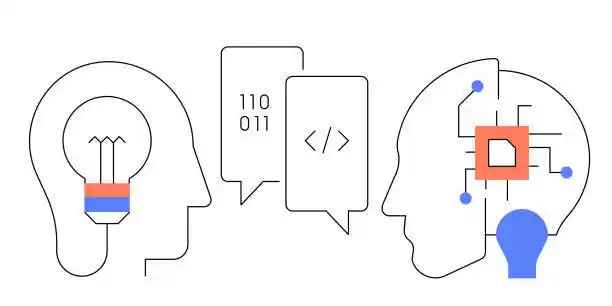
Image Source: gettyimages.com
| Aspect | Compiler | Interpreter |
|---|---|---|
| Compilation vs Interpretation | Translates entire code before execution | Translates code line-by-line at runtime |
| Speed of Execution | Faster after compilation | Slower due to real-time execution |
| Error Detection | All errors shown after compilation | Stops at the first error |
| Code Portability | Less portable (needs recompilation) | More portable with interpreter installed |
| Memory Usage | Higher (stores compiled code) | Lower (no storage of executable file) |
| Language Examples | C, C++, Java | Python, JavaScript, Ruby |
Comparison of Compiler VS Interpreter
| Feature | Compiler | Interpreter |
|---|---|---|
| Execution | Whole program at once | Line-by-line |
| Speed | Faster after compilation | Slower during execution |
| Error Detection | Before execution | During execution |
| Memory Usage | More memory efficient | Higher runtime memory |
| Examples | C, C++ | Python, JavaScript |
| Output Type | Machine Code | Immediate Result |
| Debugging | Harder, shows all errors at once | Easier, stops at first error |
| Portability | Platform-specific binary | More portable scripts |
Conclusion
Summary of Differences
-
Compilers translate the entire code at once, resulting in faster execution but slower debugging.
-
Interpreters work line-by-line, making them great for debugging but generally slower in execution.
-
Compilers produce machine-level output, while interpreters provide immediate results.
When to Use
-
Use a Compiler when performance is critical, such as in system-level, embedded, or production-grade applications (e.g., C/C++).
-
Use an Interpreter during development, testing, learning, or for writing scripts and automation tasks (e.g., Python, JavaScript).
FAQs
Q.1. Which is better: A compiler or an Interpreter?
A: Depends on use case and language choice
Q.2. Which is faster? Compiler or Interpreter?
A: Compilers are faster after compilation
Q.3. Can anyone use an interpreter instead of a compiler?
A: Sometimes yes, depending on the language
Q.4. Is Python an interpreter or a compiler?
A: Python uses an interpreter
Q.5. What are the examples of interpreters?
A: Python, Ruby, JavaScript, PHP



Buy, Sell & Rent Properties – Download HexaHome App Now!

Find your perfect home, PG, or rental in just a few clicks.

Post your property at ₹0 cost and get genuine buyers & tenants fast.

Smart alerts & search helps you find homes that fit your budget.
Available on iOS & Android


Available on iOS & Android

Scan to Download our App
Available on iOS & Android – Download Now!

A Product By Hexadecimal Software Pvt. Ltd.